If you're planning to train a large language model, fine-tune a diffusion model, or scale a machine learning pipeline, the GPU you choose will decide your training speed, your total cost, and how far your infrastructure budget stretches. The two most common enterprise choices right now are the NVIDIA A100 (Ampere architecture) and the NVIDIA H100 (Hopper architecture).
Quick Answer
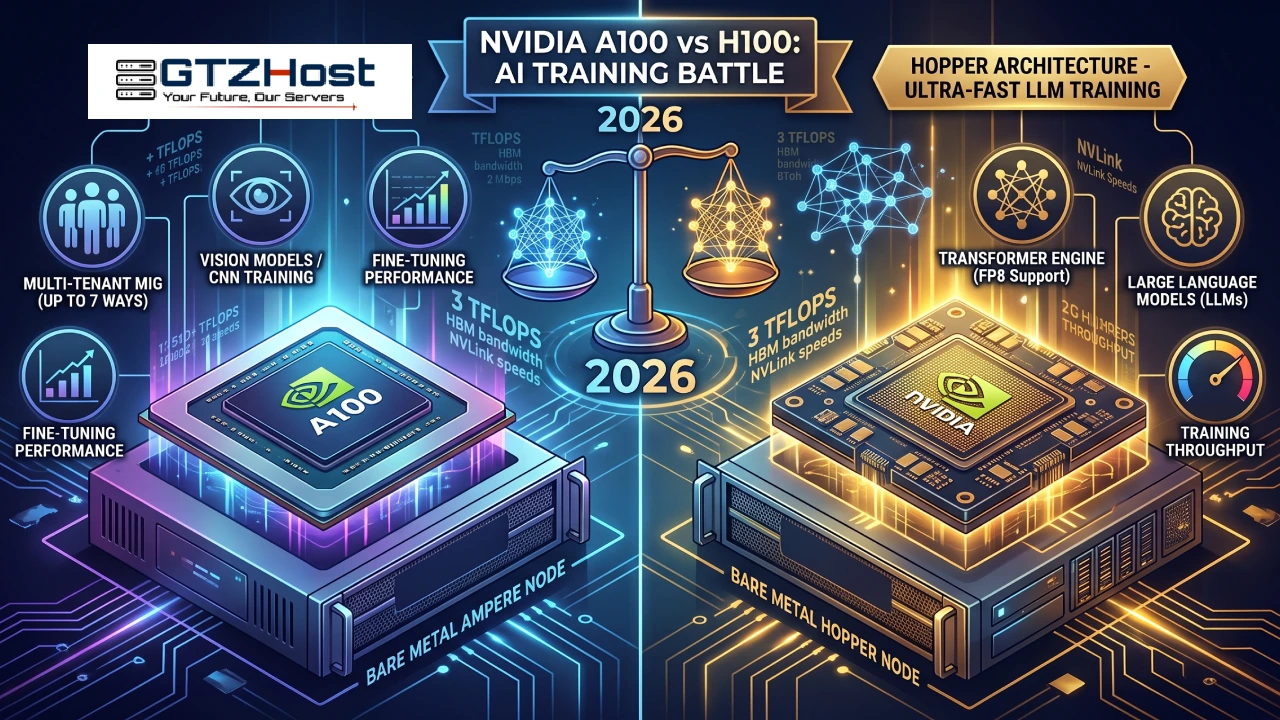
The H100 is the faster, more efficient choice for large-scale AI training — especially transformer-based LLMs — thanks to its Transformer Engine and FP8 precision support. The A100 remains a strong, more budget-friendly option for teams running smaller models, inference workloads, or mixed HPC tasks where raw Hopper-class throughput isn't required.
Below, we break down the architecture, specs, real training performance, and pricing so you can match the right GPU to your workload — including live bare metal configurations from GTZHost.
NVIDIA A100 vs H100 at a Glance
| Specification | NVIDIA A100 (Ampere) | NVIDIA H100 (Hopper) |
|---|---|---|
| Architecture | Ampere (2020) | Hopper (2022) |
| Manufacturing process | 7nm | 4nm (TSMC 4N) |
| Memory | 40GB / 80GB HBM2e | 80GB HBM3 |
| Memory bandwidth | Up to 2.0 TB/s | Up to 3.35 TB/s |
| Tensor Cores | 3rd generation | 4th generation |
| Transformer Engine | Not available | Yes (FP8 support) |
| NVLink bandwidth | 600 GB/s | 900 GB/s |
| TDP | 400W (SXM) | 700W (SXM) |
| Typical AI training uplift | Baseline | Up to 3–6x faster on transformer workloads |
The core distinction is generational: the A100 was built for the first wave of large-scale deep learning and HPC convergence, while the H100 was purpose-built around the transformer architecture that now powers most modern generative AI systems.
Architecture Differences That Actually Matter for Training
NVIDIA A100 — Ampere Architecture
The A100 introduced multi-instance GPU (MIG) partitioning, third-generation Tensor Cores, and structural sparsity acceleration. It remains a dependable workhorse for:
Convolutional neural networks and vision models
Mixed HPC + AI research clusters
Mid-size transformer fine-tuning
Multi-tenant environments that benefit from MIG's up-to-seven-way GPU partitioning
NVIDIA H100 — Hopper Architecture
The H100's headline addition is the Transformer Engine, which dynamically switches between FP8 and FP16 precision during training to accelerate matrix multiplication without sacrificing model accuracy. Combined with faster HBM3 memory and a wider NVLink interconnect, the H100 is engineered specifically for:
Large language model (LLM) pretraining and fine-tuning
Multi-node distributed training with heavy all-reduce traffic
Mixture-of-experts and diffusion model workloads
Any pipeline where FP8 throughput translates directly into lower wall-clock training time
In short: the A100 accelerates deep learning broadly, while the H100 accelerates the specific mathematical operations that transformer models depend on.
AI Training Performance: Real-World Difference
Independent MLPerf training benchmarks and NVIDIA's own published figures consistently show the H100 delivering 2–4x faster training throughput on transformer-based models compared to the A100, with even larger gaps on inference workloads using FP8 quantization. The gap narrows on CNN-style vision workloads, where the A100's older architecture is still competitive.
Practically, this means:
Training a large transformer model (7B+ parameters): H100 clusters cut wall-clock training time significantly, reducing GPU-hour costs even at a higher hourly rate.
Fine-tuning smaller models or running inference at scale: A100s often deliver a better price-to-performance ratio, since you don't need Hopper-class throughput to hit your latency targets.
Multi-GPU distributed training: The H100's 900 GB/s NVLink and NVSwitch fabric reduce communication bottlenecks that appear when scaling A100 clusters past 8–16 GPUs.
Memory and Bandwidth: Why It Matters for Large Models
Modern LLMs are frequently memory-bound, not just compute-bound. The H100's 80GB of HBM3 running at up to 3.35 TB/s bandwidth lets larger batch sizes and longer context windows stay resident in GPU memory, reducing costly data movement between host and device. The A100's HBM2e, while still fast, becomes a bottleneck earlier when training models with billions of parameters or long-sequence attention layers.
If your workload involves:
Long-context transformers
Large batch sizes for stable gradient updates
Multi-modal models combining text, image, or audio encoders
...the H100's memory subsystem gives it a structural advantage that goes beyond raw TFLOPS.
Power Efficiency and Total Cost of Ownership
The H100 draws more power per card (up to 700W in SXM form factor versus 400W for the A100), but it also completes training runs faster. When you calculate performance-per-watt rather than raw wattage, the H100 is typically more efficient for transformer workloads — you pay more per hour, but you pay for fewer hours.
The A100 remains attractive when:
Your workload doesn't benefit heavily from FP8 precision
You need to control upfront or hourly infrastructure spend
You're running steady-state inference rather than large training runs
Your existing pipeline is already tuned for Ampere-generation performance
Deploying A100 and H100 Bare Metal Servers on GTZHost
GTZHost offers dedicated Ampere Compute Nodes (NVIDIA A100) and Hopper Compute Nodes (NVIDIA H100) as bare metal servers, meaning your workload runs on dedicated hardware with no virtualization overhead or noisy-neighbor performance loss — a meaningful advantage for latency-sensitive training jobs.
NVIDIA A100 Bare Metal Servers (Ampere Compute Node)
GTZHost's A100 lineup spans a wide range of CPU pairings, letting you match host-side compute to your training pipeline:
Configurations built around 2x Intel Xeon Silver 4110/4114/4210, 2x Intel Xeon Gold 5118/6126/6326/6336Y, and AMD EPYC 7443P
Entry configurations starting from roughly $443/month
Higher-core, dual-socket enterprise builds reaching up to $1,854+/month, suited for multi-GPU training clusters and larger datasets
NVIDIA H100 Bare Metal Servers (Hopper Compute Node)
The H100 lineup follows the same customizable structure, pairing Hopper-class GPU acceleration with a matching range of Intel Xeon Silver and Gold host processors:
Configurations from 2x Intel Xeon Silver 4110/4114/4210 through 2x Intel Xeon Gold 6126/6130/6230/6136
Entry-level nodes starting around $443/month, scaling up based on core count, RAM, and storage tier
Ideal for teams that need Hopper-generation training speed without managing their own on-premises GPU cluster
Final GPU tier, VRAM allocation, and multi-GPU pricing vary by configuration — browse live GPU server pricing or contact GTZHost for a custom quote tailored to your model size and training timeline.
Both node types are backed by GTZHost's global data center footprint, 24/7/365 support, DDoS protection, and flexible monthly billing — no long-term lock-in required to scale your AI infrastructure up or down.
Which GPU Should You Choose?
| Your Priority | Recommended GPU |
|---|---|
| Training large transformer/LLM models | NVIDIA H100 |
| Fastest possible time-to-train | NVIDIA H100 |
| Budget-conscious fine-tuning or inference | NVIDIA A100 |
| Multi-tenant workloads needing MIG partitioning | NVIDIA A100 |
| Long-context or memory-bound models | NVIDIA H100 |
| General-purpose HPC + AI mixed workloads | NVIDIA A100 |
There's no universally "better" GPU — only the better fit for your model size, budget, and training timeline. Teams pushing the frontier of generative AI increasingly default to H100 clusters, while the A100 continues to serve as a reliable, cost-effective backbone for a large share of production ML workloads.
Frequently Asked Questions
Is the H100 always faster than the A100 for AI training?
For transformer-based models using FP8 precision, yes — the H100 is typically 2–4x faster. For non-transformer workloads like standard CNNs, the performance gap is smaller.
Can I fine-tune large language models on an A100?
Yes. The A100's 80GB HBM2e variant handles fine-tuning for many mid-size open-source LLMs comfortably, though very large models or long-context training will train faster and more efficiently on H100 hardware.
Is the A100 still worth buying or renting in 2026?
Yes, particularly for teams prioritizing cost efficiency, inference workloads, or MIG-based multi-tenancy. It remains a mature, well-supported architecture with broad framework compatibility.
Does GTZHost offer both A100 and H100 bare metal servers?
Yes. GTZHost provides dedicated Ampere Compute Nodes (A100) and Hopper Compute Nodes (H100) with a range of Intel Xeon and AMD EPYC CPU pairings, deployable as bare metal for maximum performance. See current configurations on the GPU Servers page.
What's the main architectural upgrade in Hopper over Ampere?
The Transformer Engine, which dynamically manages FP8/FP16 precision specifically for transformer model layers, combined with faster HBM3 memory and a higher-bandwidth NVLink interconnect.
Final Thoughts
Choosing between the NVIDIA A100 and H100 comes down to matching GPU architecture to your actual training workload rather than defaulting to "the newest hardware." If your roadmap includes large transformer models, long-context training, or aggressive time-to-market pressure, the H100's Transformer Engine and memory bandwidth will pay for themselves in reduced training time. If your workloads are smaller, inference-heavy, or budget-constrained, the A100 remains a proven, cost-effective platform.
Ready to deploy? Explore GTZHost's dedicated GPU servers to compare live A100 and H100 bare metal configurations, or browse the full dedicated server lineup across 250+ global locations.